Import Context
To access the business rules page, you must have the manage_business_rules permission (found in the context_management section of Permission Sets).
Overview
Promethium allows you to manage business rules and context through both the Mantra interface and YAML file imports. Business rules help Mantra understand your organization's specific terminology, calculations, and data relationships.
Creating Rules in Mantra
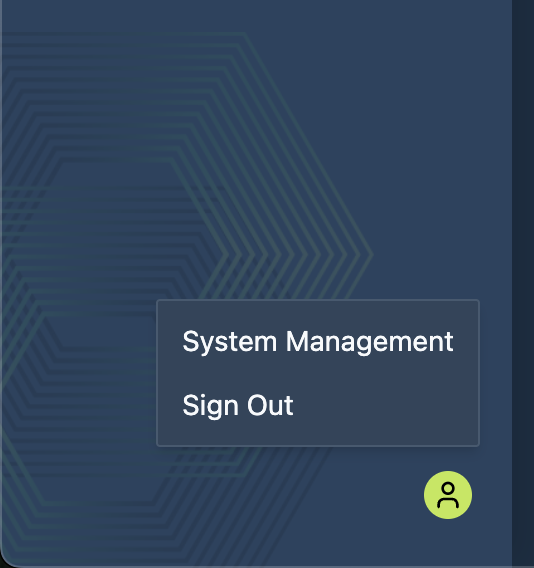
You can create business rules directly in the Mantra interface. Click the user icon in the bottom left corner and select System Management to access rule management.
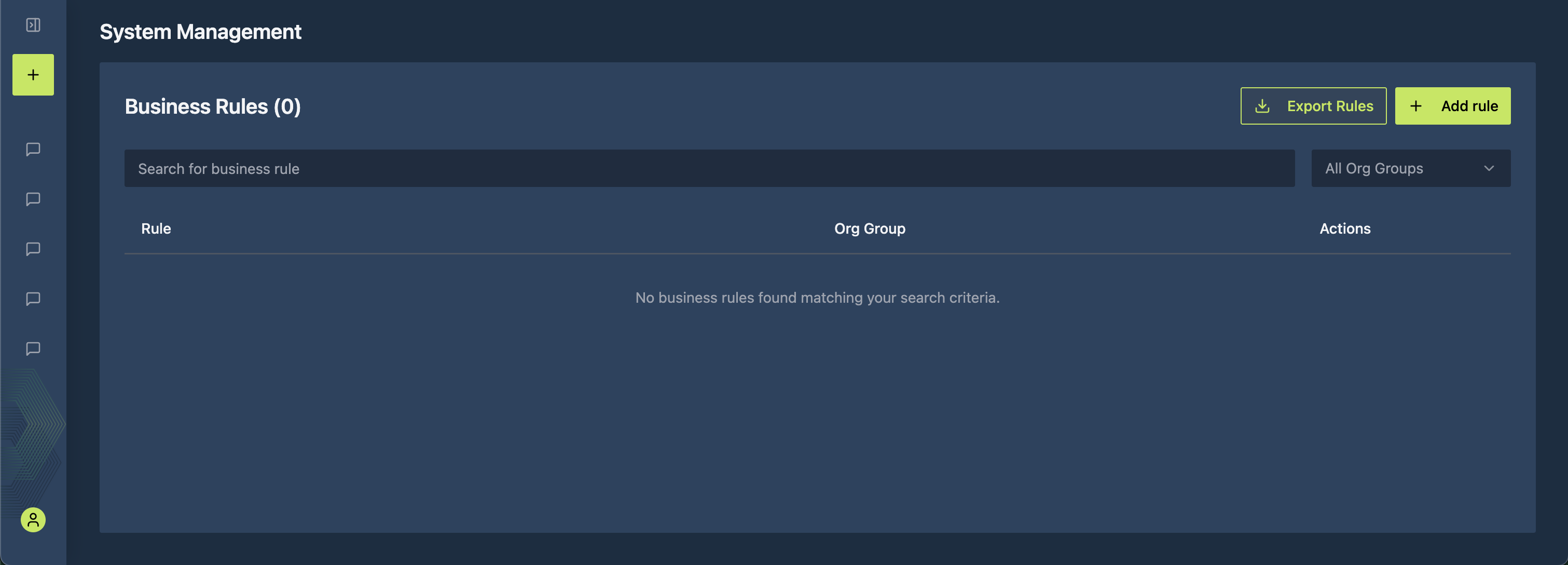
From System Management, navigate to Business Rules.
Adding a Single Rule
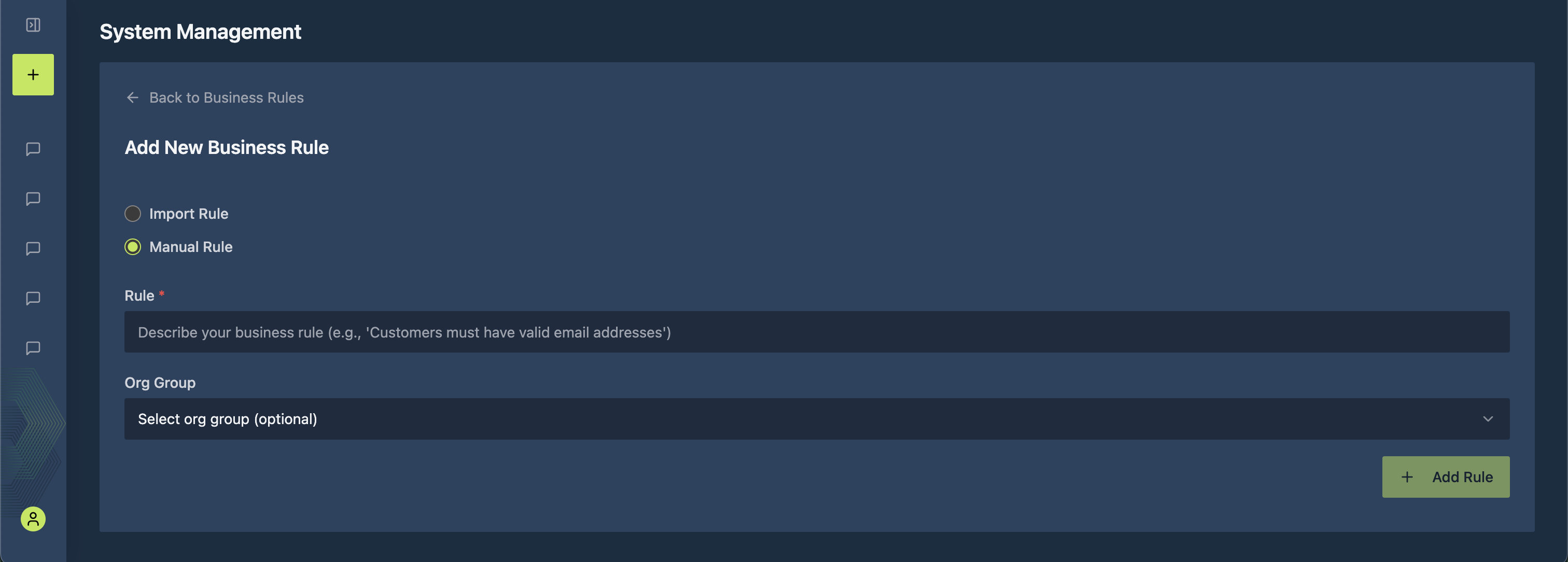
To add an individual rule:
- Click the Add Rule button
- Enter the rule definition in plain text
- Optionally assign the rule to an organizational unit using the Org Group dropdown
- Click Add Rule
Importing Rules via YAML
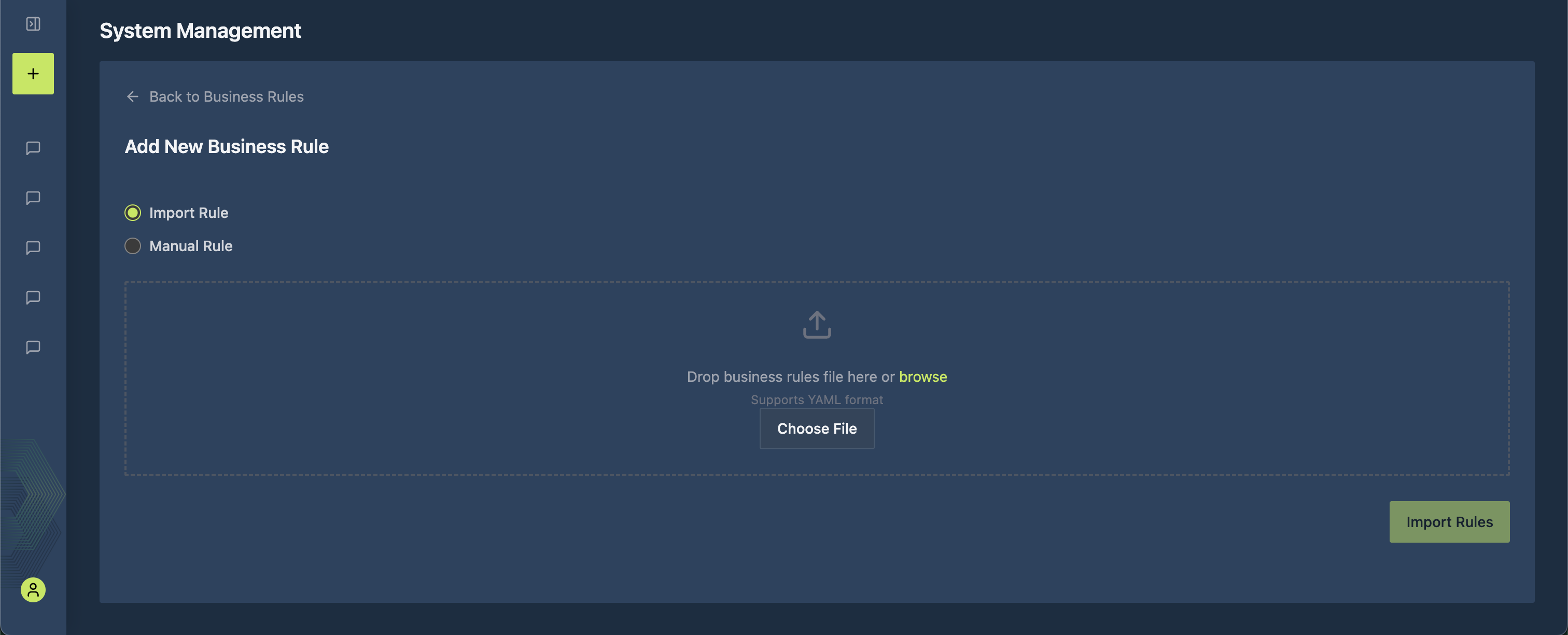
For adding multiple rules at once, you can import them directly from a YAML file. This approach is ideal for bulk imports and allows you to optionally assign rules to specific organizational units.
File Structure
The YAML file must contain a top-level key called rules, which holds a list of rule objects. Each rule object describes one business rule.
Rule Object Fields
| Field | Required | Description |
|---|---|---|
| rule | Yes | The definition of the business rule, expressed in plain text. This may include formulas, logical conditions, or explanations. |
| id | No | An external identifier for the rule. Only populate if the rule originates from a system that assigns unique IDs. Promethium uses this field to replace the existing rule on future imports rather than creating a duplicate. |
| roles | No | The identifier of an organizational unit. If omitted, the rule is registered as a global rule. Only populate if the rule should apply to a specific group or unit. This field accepts only a single value. |
rules:
  - rule: >
      Profitable customer or policy is defined as combined_ratio less than 1.0
      from policy_monthly_financials table

  - id: 674f58c0-7d3a-4772-adb2-3cc6b03a620a
    rule: >
      Expense Ratio = (Underwriting Expenses + Commission Expenses) / Earned Premium
    roles: org--demo-group

  - rule: >
      Loss Ratio = (Paid Claims + Reserves) / Earned Premium
    roles: org--regional-division

  - rule: >
      Combined Ratio = Loss Ratio + Expense Ratio
Notes and Best Practices
- Rule text is always required.
- ID field should be used when syncing with an external system or when exporting rules from Mantra, editing them, and re-uploading. This prevents duplicate rules from being created. For new rules not originating from an external system, leave it out.
- Roles field:
- If blank or omitted → the rule is global.
- If populated → the rule applies only to the specified organizational unit.
- Only one role identifier may be supplied.
- Multi-line rules: Use the YAML folded style (>) for clarity and readability.
- Validation: Always validate your YAML syntax before importing.