Discovery in the Data Explorer
Promethium's Data Explorer
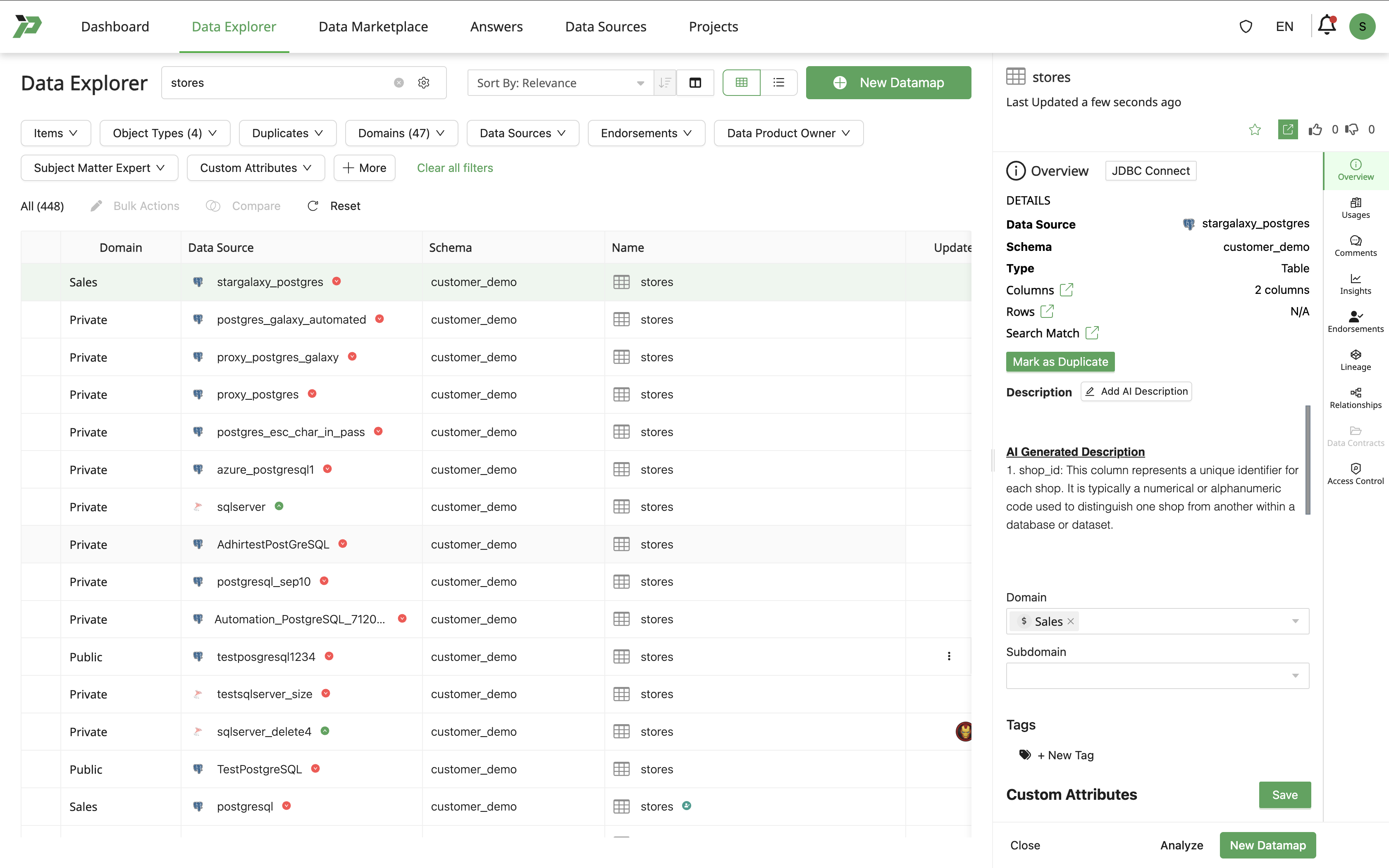
The Data Explorer is the core discovery surface. It allows users to search, filter, and inspect objects before using or building on top of them.
Search and Advanced Search
Basic Search
- A simple search bar for entering keywords.
- Matches across key metadata fields (e.g., name, description, tags).
Advanced Search
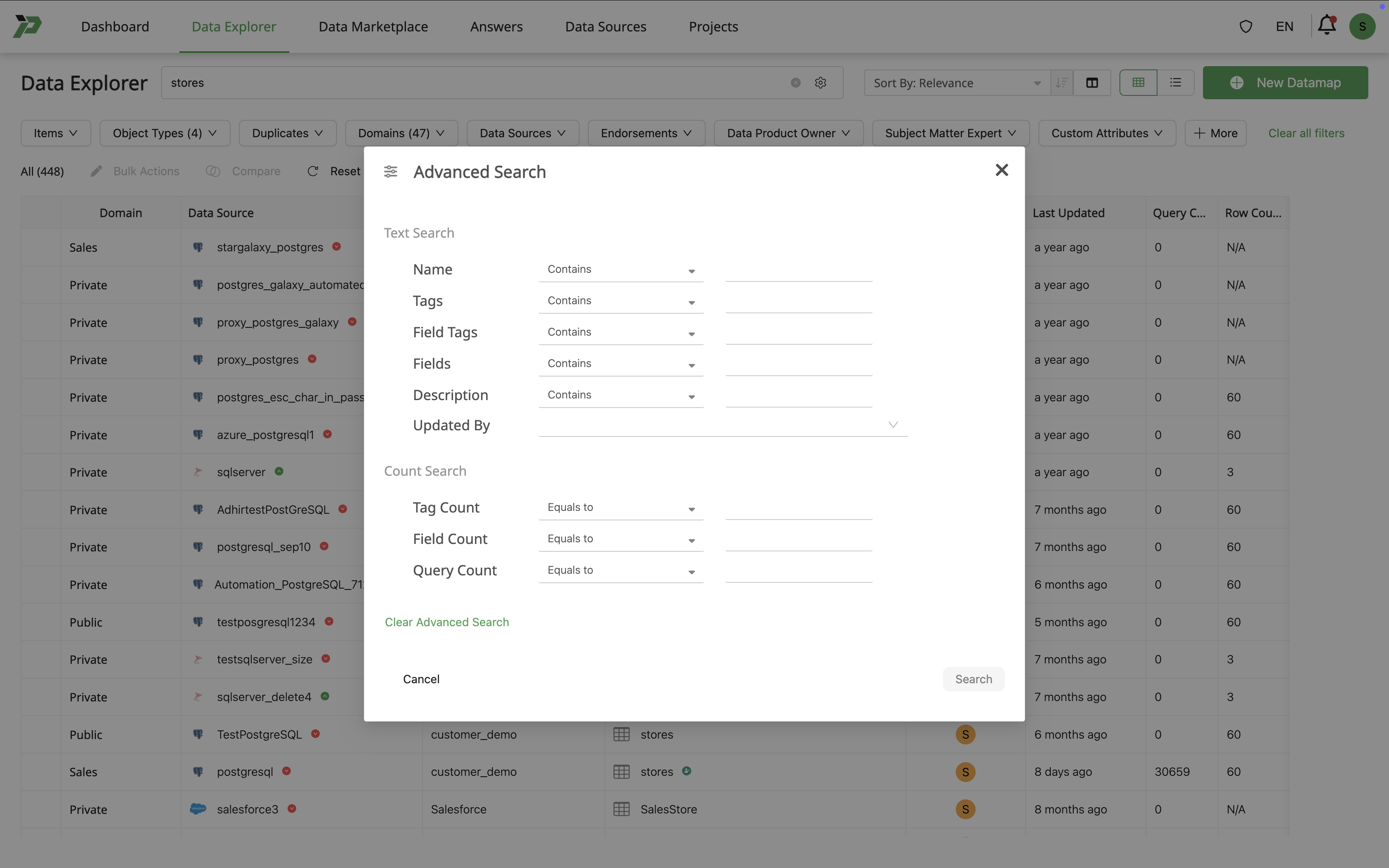
Advanced Search provides more control and precision.

Text Search Modes
| Mode | Description |
|---|---|
| Contains | Returns objects where the field contains the search term (substring match). |
| Free Match | Fuzzy or partial matching; finds approximate or loosely related terms. |
| Exact Match | Returns objects that match the full, exact value of the search term. |
Fields Included in Text Search
| Field | Description |
|---|---|
| Name | Object name/title. |
| Tags | Assigned metadata tags. |
| Field Tags | Column-level tags (e.g., PII, sensitivity, domain tags). |
| Fields | Column names in the Datamap or Answer. |
| Description | Object and metadata descriptions. |
| Updated by | Matches against the username of the last editor. |
Count Search Operators
| Operator | Meaning |
|---|---|
| Equals to | Field count must be exactly equal to the value. |
| Not equals to | Field count must not equal the value. |
| Greater than | Field count must be strictly greater than the value. |
| Greater than or equal to | Field count must be ≥ the value. |
| Less than | Field count must be strictly less than the value. |
| Less than or equal to | Field count must be ≤ the value. |
Attributes You Can Use With Count Search
| Attribute | Description |
|---|---|
| Tag count | Number of tags assigned to the object. |
| Field count | Number of fields/columns in the object. |
| Query count | Number of queries linked to or generated by the object. |
Filters
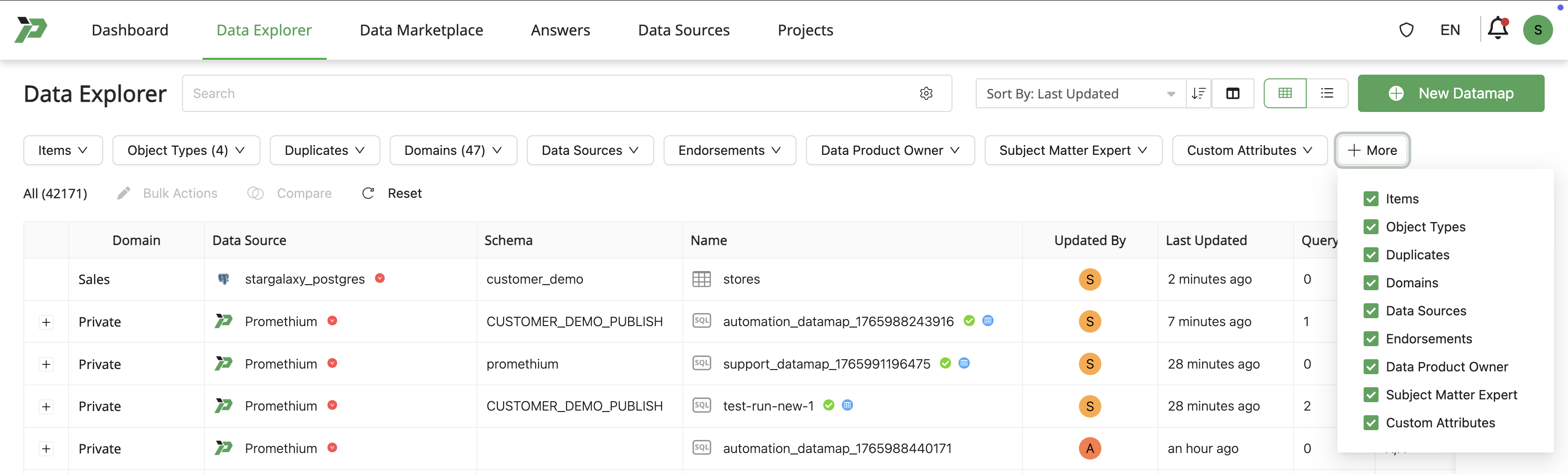
The Data Explorer supports the following filter categories:
| Filter Category | Description / Examples |
|---|---|
| Items | Includes filters like My Items, Recently Viewed, Frequently Used. |
| Object Types | Filter by object type: Data Maps, Answers, Dashboards, Domains, Data Products, etc. |
| Duplicates | Highlight or hide potential duplicates to simplify discovery. |
| Domains | Restrict results to one or more business domains or subject areas. |
| Data Sources | Filter objects by underlying data source or connection. |
| Endorsements | Filter by SME endorsements, certifications, or approvals. |
| Data Product Owner | Filter by the responsible owner or steward of the object. |
| Subject Matter Expert | Filter by SMEs associated with the object. |
| Custom Attributes | Filter by organization-specific attributes (e.g., business unit, sensitivity level, custom tags). |
Data Preview Panel
When selecting an object in the Data Explorer, the Preview Panel displays detailed context about the object.
| Tab | Description |
|---|---|
| Overview | Shows name, description, tags, owners, domain, and last updated timestamp. |
| Usages | Displays where the object is referenced (e.g., other Datamaps, Answers. |
| Comments | Threaded conversations, notes, and collaboration around the object. |
| Insights | Potential questions about the data and suggested charts/visualizations based on the Datamap's fields and data patterns. |
| Endorsements | Contains SME endorsements, certifications, and quality indicators. |
| Lineage | Shows upstream and downstream data flow with lineage graph visualization. |
| Data Contracts | Schema expectations, validation rules. |
| Access Control | Lists who can view, edit, or own the object. |
| Versions | Displays version history, version descriptions, and allows comparison between versions. |