Version Control
Version management in Promethium allows users to manage Datamaps as part of a version controlled workflow. Users can safely edit, test, and instantiate Datamaps without risking accidental changes to production objects.
User Roles & Permissions
| Role | Permissions |
|---|---|
| Viewer | View Instantiated Versions, Cannot instantiate versions, Cannot edit SQL |
| Editor | Edit Datamap SQL, Instantiate new versions, Promote Datamaps |
| Owner | Full access, Manage permissions, Delete Datamaps, Drop Instantiated Objects |
Version a Datamap
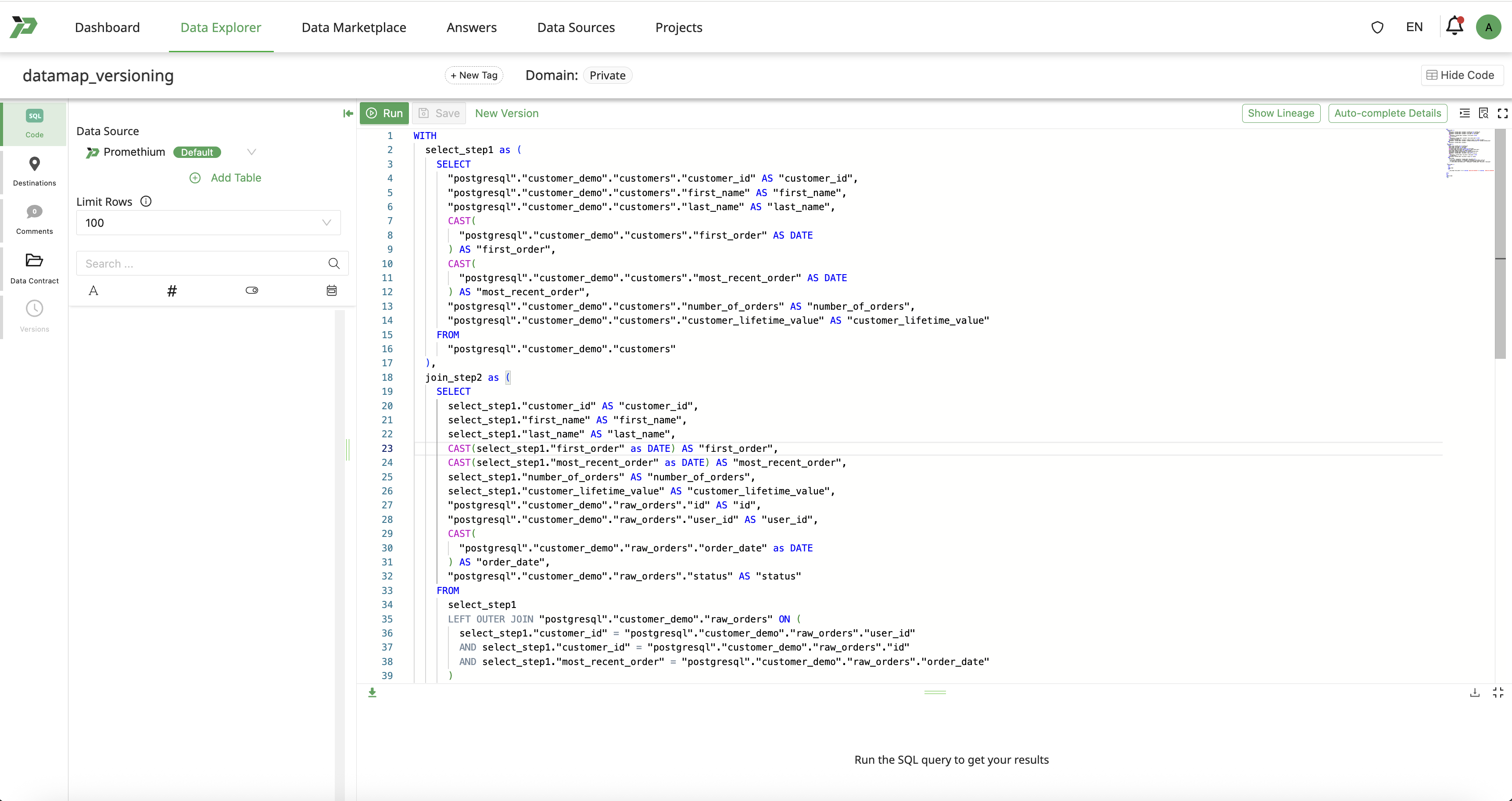
Users can version a datamap by clicking on New Version button.
Creating a new version makes the current state of the Datamap immutable. Versions are identified by; Version Tag and Description. Version Tag is a unique identifier for the version. Version Description is a description of the changes made in the version.
Instantiating
Users can click on Instantiate to create a queryable object that can be used for downstream consumption.
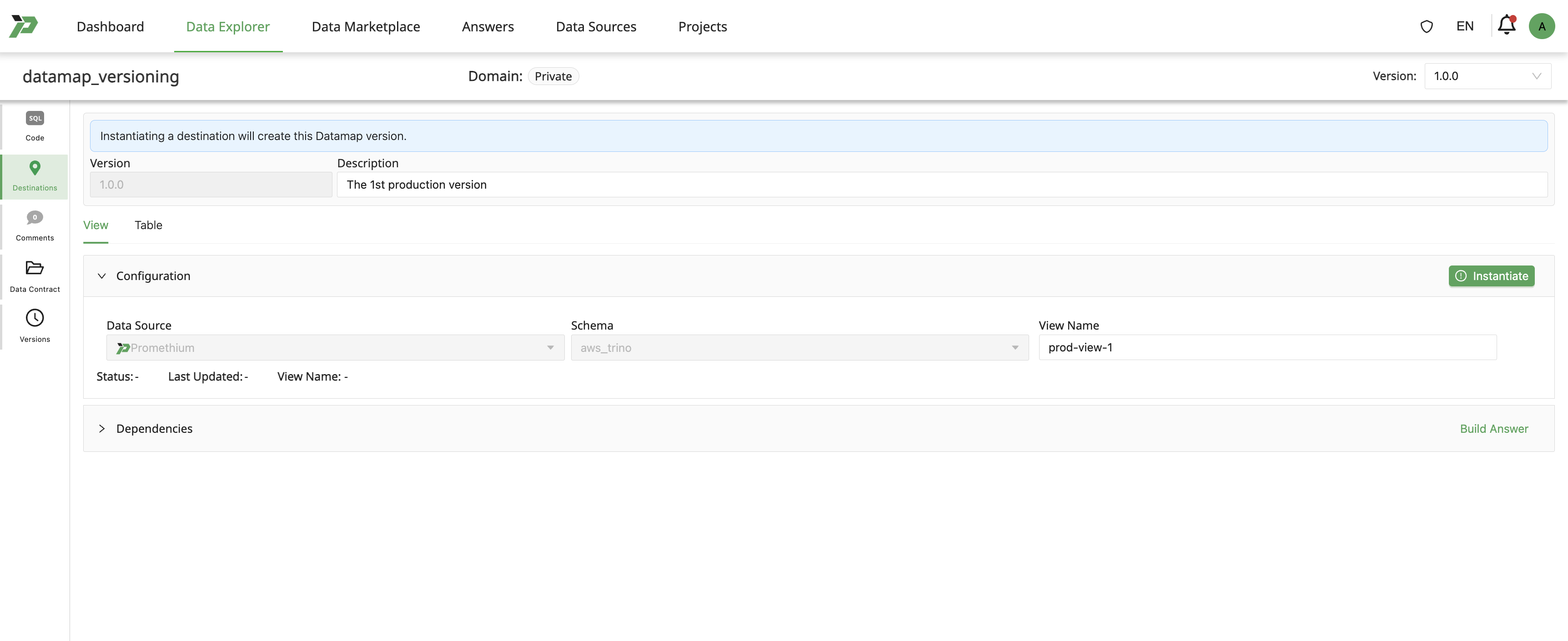
| Instantiation Type | Definition | Use Cases |
|---|---|---|
| Table | A fully materialized physical table. | Repeated queries |
| View | A virtual table defined by SQL; no data physically stored. | Lightweight logic, Real-time data access |
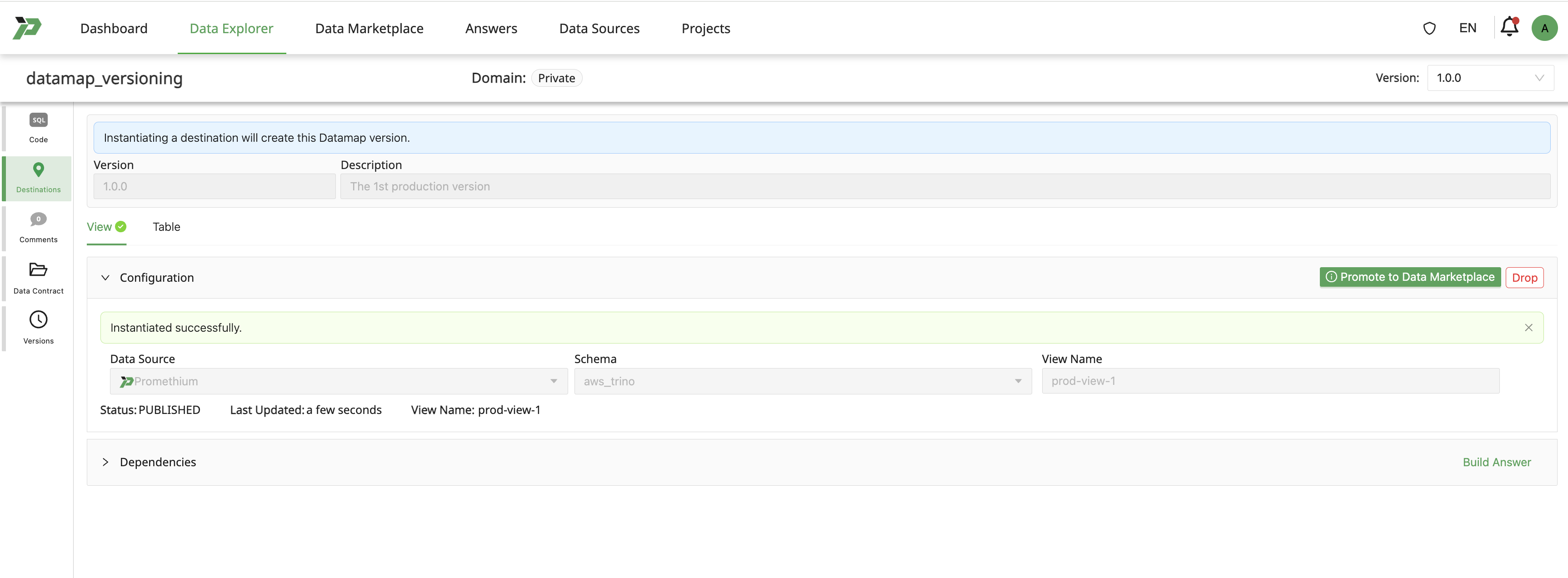
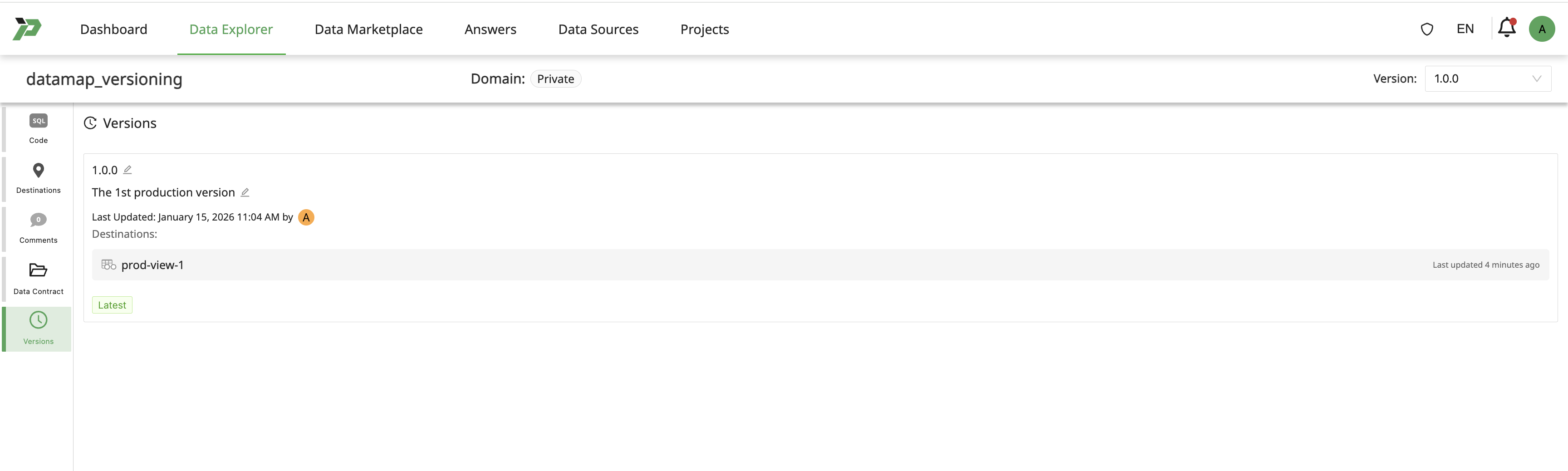
Each instantiated view and table becomes a destination of a specific version of a Datamap.
When a Version is successfully created status is shown as PUBLISHED.
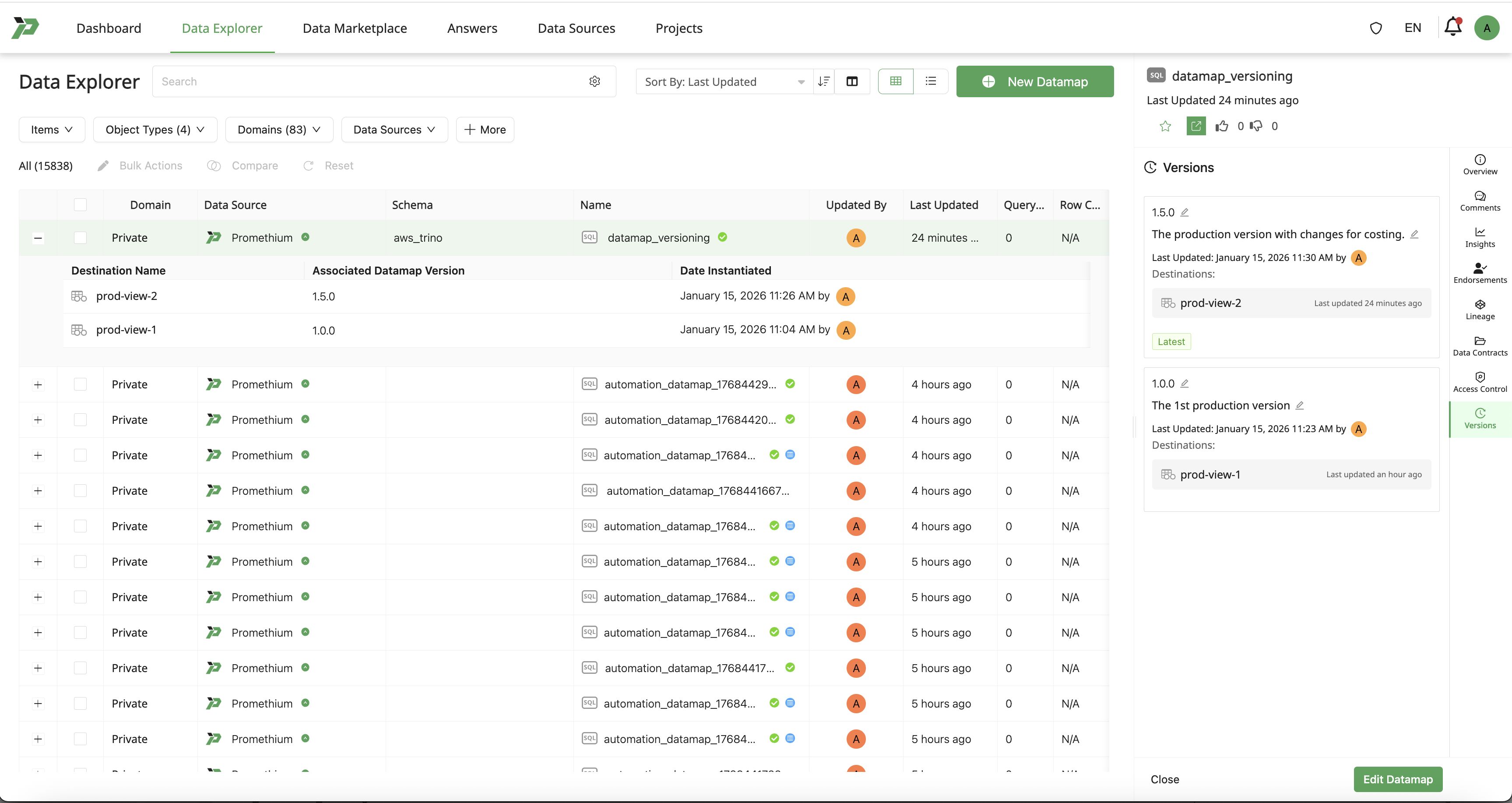
Click on Versions tab to list the available versions.
Edit the Latest Version of a Datamap
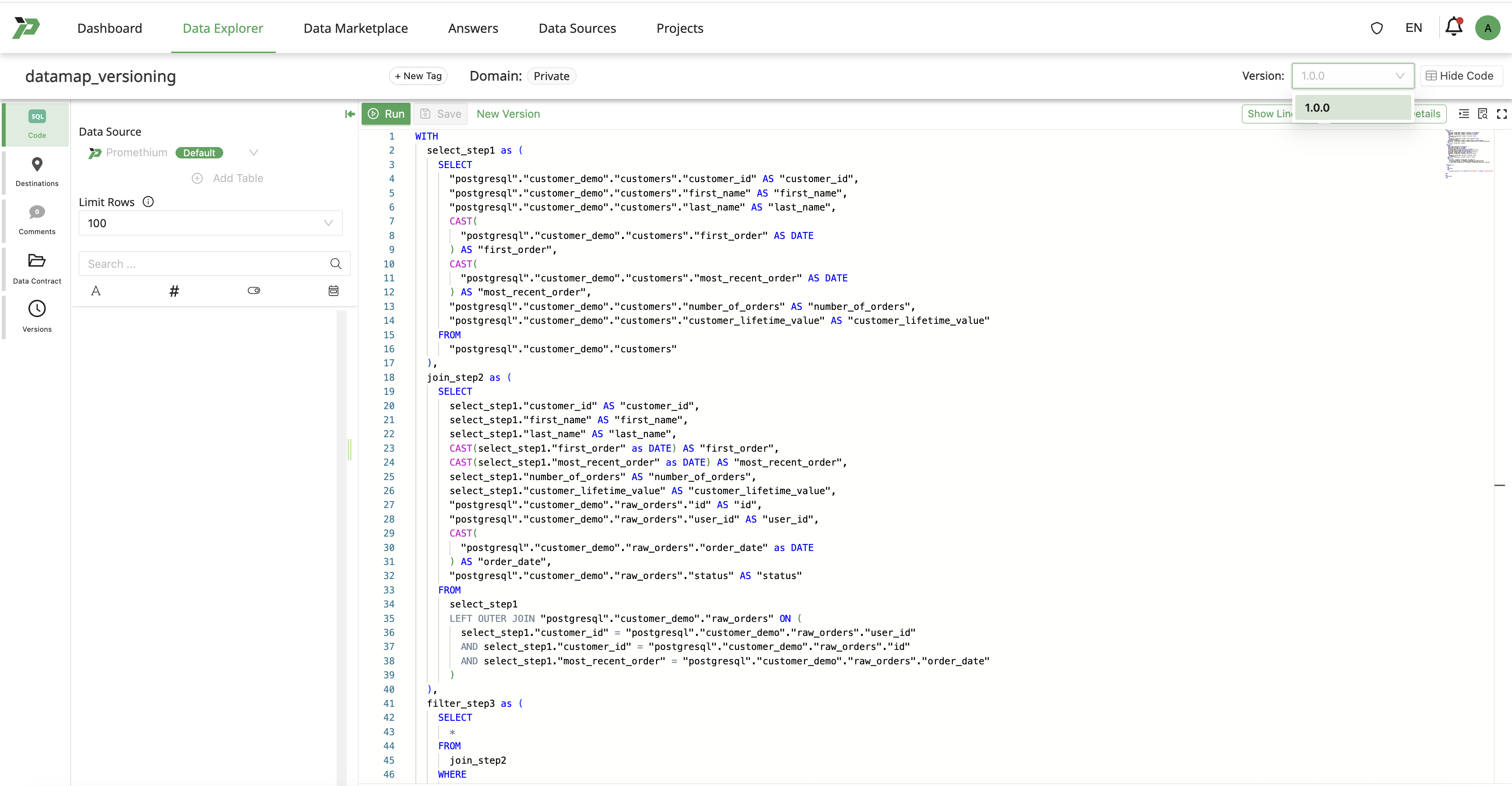
Users can begin editing any version of a Datamap.
Edits can be made in either of the following areas:
- Datamap SQL
- Datamap descriptions and tags
Changes made will create a draft state of Datamap, without affecting the previous versions.
Instantiate a version for testing from Draft state of a Datamap
Click on New Version and then Instantiate to create the next version for testing.

Promethium strongly suggests the use of the term draft in the Version Tag of test versions. This is to avoid confusion with the production version by automated processes e.g. Mantra.
Rename a version for production usage
Go to the list of versions.
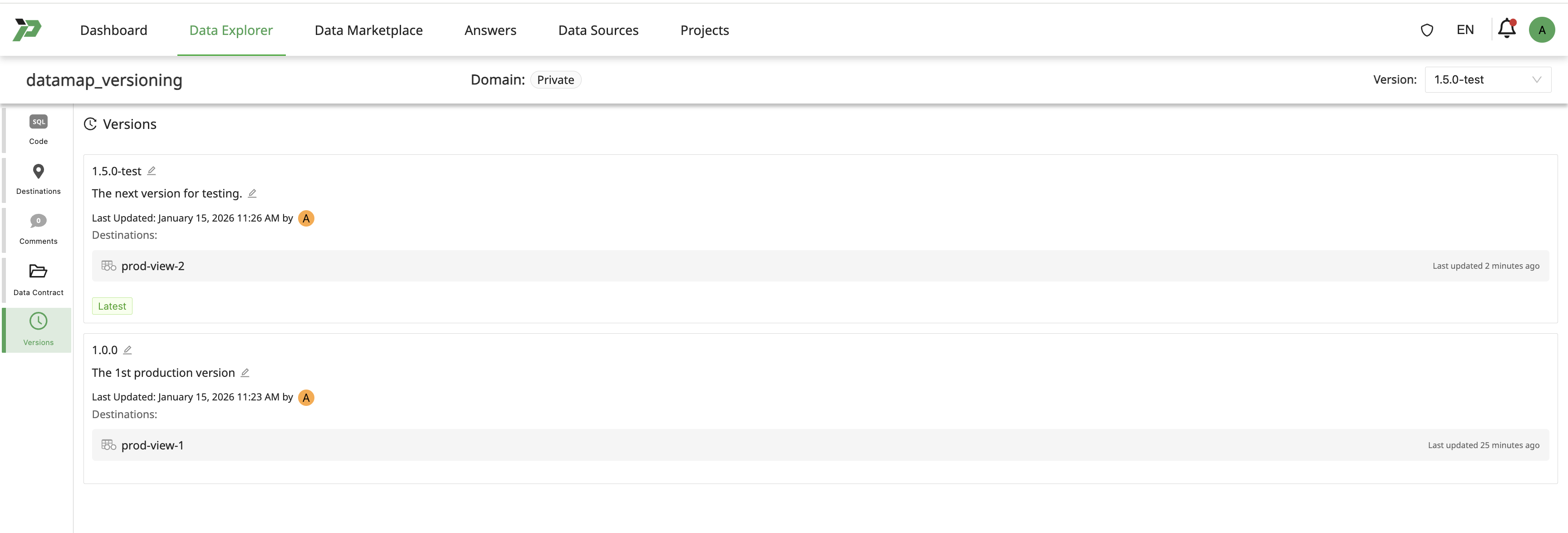
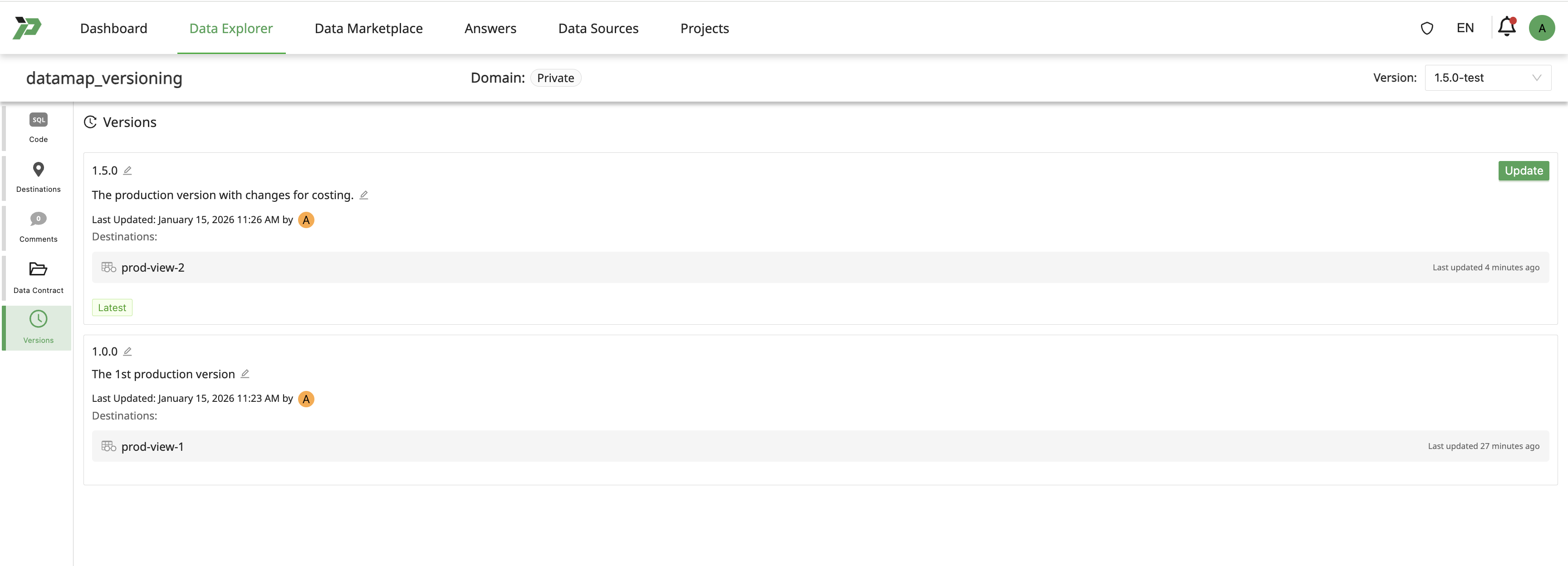
Rename version & update description to migrate the test version for production usage.
Drop Instantiation
Overview
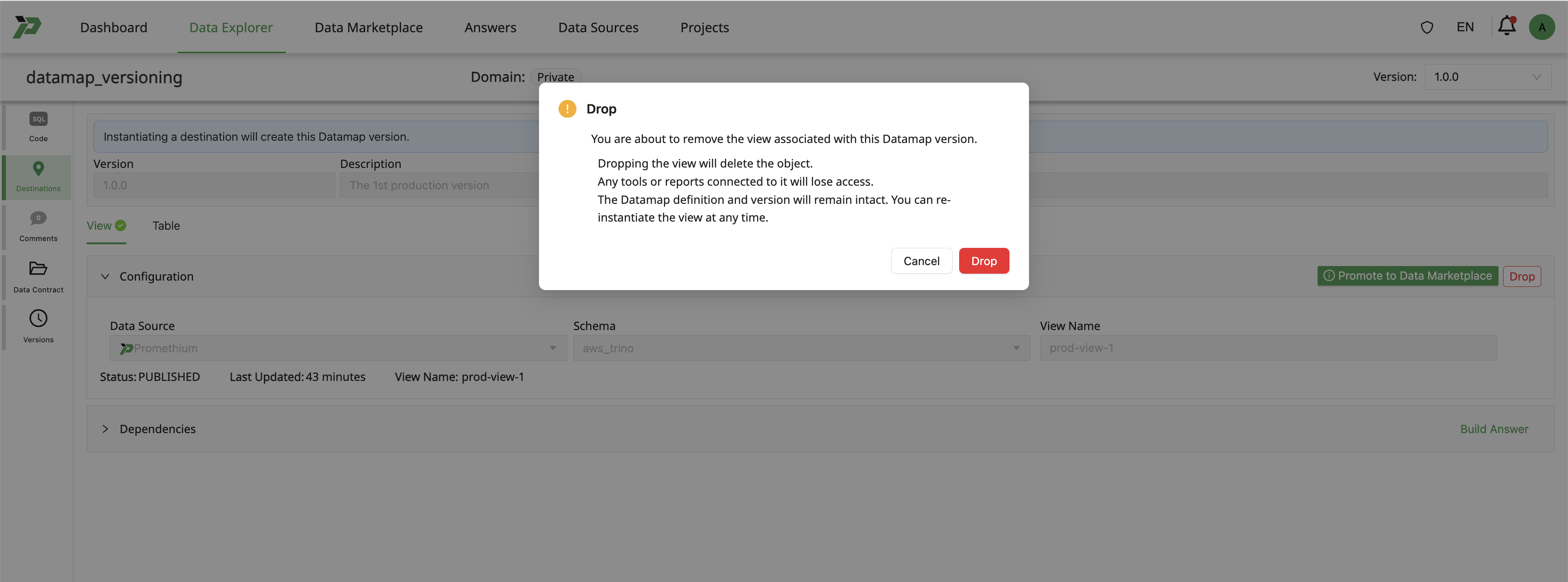
Drop Instantiation removes an instantiated object that represents a version of a Datamap.
This action is used to retract a deployed instance that is no longer valid or needed, while maintaining the Version.
Behavior
When an instantiation is dropped:
- The instantiated object is no longer queryable
- Downstream dependencies will surface warnings or fail
- The Datamap Version will remain intact.
Governance
Only authorized users may drop an instantiation.
Destinations and Version Visibility
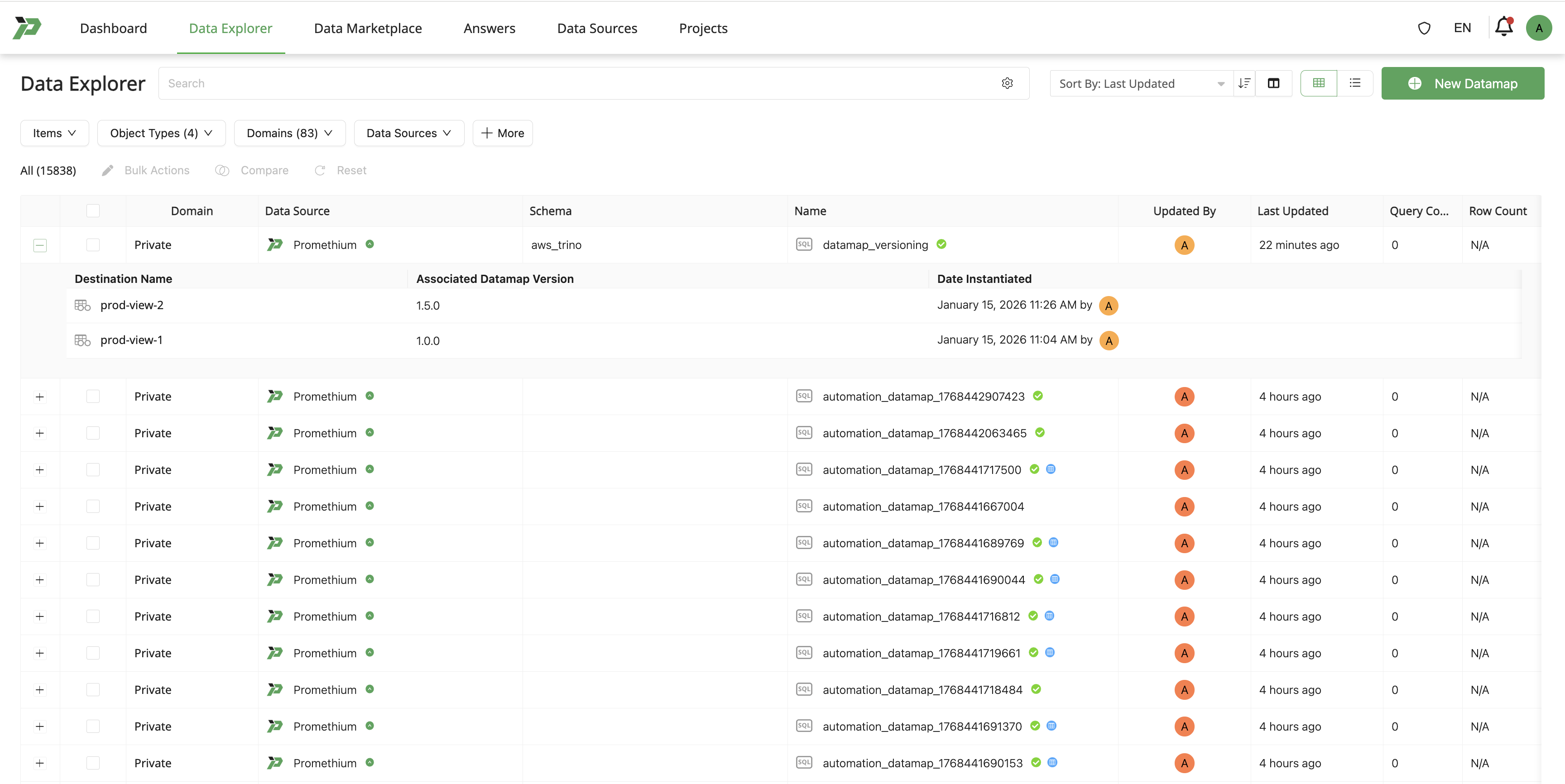
In the Data Explorer:
- All destinations (tables and views) are displayed as:
- Destinations of the Datamap
- Associated with the Datamap version that they represent
Best Practices
- Always include meaningful version descriptions.
- Reference version numbers in documentation and handoffs.